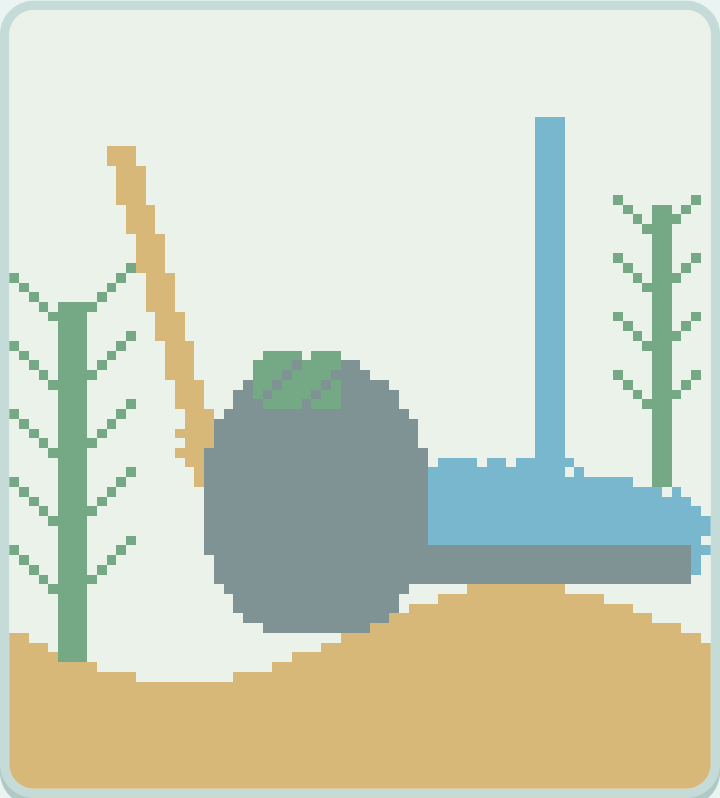
A garden made one particle at a time
Sand Garden is an open-ended falling-particle sandbox. Draw sand, pour water, build a stone shelf or add a patch of green. The moving materials respond to the shapes you make, letting you create a tiny landscape and watch it rearrange itself. There is no score, timer, level list or losing condition.
The simulation uses a small grid so you can see individual grains and keep the whole garden in view. Sand falls downward and can slide around a blocked space. Water flows downward and sideways. Stone and plants stay exactly where you paint them. Plants are a drawing material in this release: they do not grow, need watering or earn rewards.
Choose a material and draw
Select Sand, Water, Stone, Plants or Eraser from the palette, then drag across the canvas. Holding the pointer in one place continues to add the selected material. The brush slider changes the width of the mark, from a small detail to a broader patch.
For keyboard play, focus the canvas and move the circular brush cursor with the arrow keys. Press Space or Enter to paint at that position. Pour at cursor adds the chosen material at the current brush location, providing an on-screen control as well. All palette buttons can be reached with Tab.
The eraser removes every material it touches. Painting another material replaces existing particles beneath the brush, so a small stroke can open a channel, turn part of a wall into sand, or add a new stone barrier. There is no inventory to refill.
Pause a moment, change the scene
Use Pause to stop falling and flowing while you draw. You might build a bowl of stone first, add sand above it, then resume to see where the grains settle. One step advances the particles once, which is especially useful while paused.
Water can find a route around a stone edge, while sand can sink through water. These are simplified grid rules, not a scientific fluid simulation. Stone and green plants both act as fixed barriers. The interesting part is trying a shape and seeing what the small rules do with it.
Keep a garden for later
The particle layout saves automatically during play and after you finish a brush stroke. Save garden also sends the current layout to the save service. Check the save indicator above the game before leaving. The saved garden belongs to the anonymous identity in the same browser; it does not synchronize through an account.
Returning restores the particles and lets the simulation continue from that layout. The selected brush and pause setting start fresh. Clear garden asks before replacing the whole canvas with an empty space. If you want a more structured break next, try Nonogram or arrange matching pieces in Mahjong Solitaire.
Leave a little note
Found a favorite fish, a useful move, or a bug? Notes are reviewed before they appear. Please leave out personal information and links.