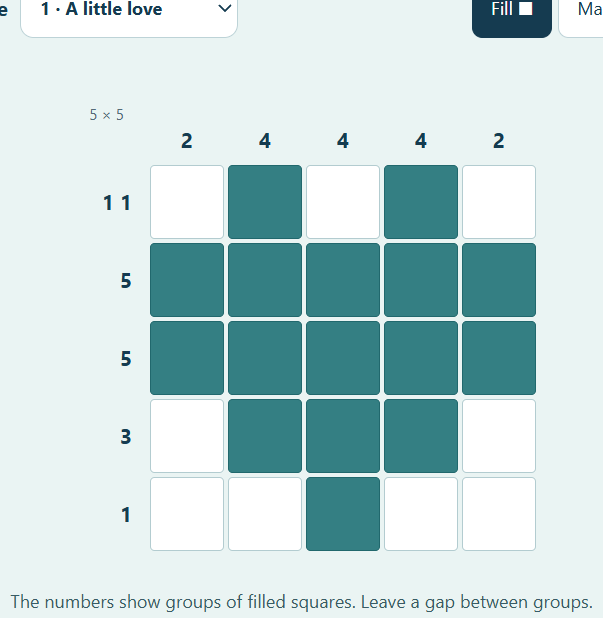
A small nonogram, a satisfying reveal
Nonogram is a picture logic puzzle. The numbers beside each row and above each column describe groups of filled squares. Work out where those groups fit, leave the necessary gaps, and a small pixel picture appears. This version has six 5 × 5 puzzles, so a whole picture fits comfortably on a phone or a small laptop screen.
The six designs are A little love, Little evergreen, Tea break, Setting sail, Bright idea and Tiny cottage. You can choose any puzzle from the menu; they do not need to be unlocked. There is no countdown, life counter or penalty for changing your mind.
How to read the nonogram clues
A clue of 5 means all five squares in that line are filled. A clue of 2 1 means a run of two filled squares, at least one empty square, then a single filled square. The groups appear in the same order as the numbers: left to right for a row, and top to bottom for a column. A 0 means that the entire line is empty.
Each square belongs to both a row and a column. A placement that fits a row must also fit its column. That overlap is the heart of the puzzle: information from one direction helps you decide what can happen in the other.
For a five-square line with a clue of 3, the center square must be filled. The group could start in the first, second or third position, and all those possibilities include the middle. For a clue of 1 1 1, the only arrangement is filled, empty, filled, empty, filled.
Fill, mark and check
- Choose Fill ■, then click or tap a square to fill it. Tap an already filled square again to clear it.
- Choose Mark × for a square you know must be empty. On a computer, right-clicking a square also marks it.
- Use Check my work when you want a small nudge. It tells you how many marked squares conflict with the picture, without filling in the solution.
- The game recognizes the picture as soon as every filled square is correct. You do not have to mark every remaining empty square.
- Use Clear puzzle to wipe the current board, or the puzzle menu to start a different picture.
For keyboard play, Tab to a square and press Space or Enter to use the current mode. The fill and mark buttons also work with the keyboard. Every square announces its row, column and current state to assistive technology.
A gentle way to get unstuck
Start with complete lines: a clue of 5 or 0 gives you a whole row or column at once. Next look for the largest runs and use overlap to find squares that every possible placement shares. Marking a known empty cell can be as helpful as filling one, because it closes off impossible positions.
There is no need to guess quickly. If something stops fitting, inspect the crossing row and column or use Check my work. The check does not remove lives or lower a score. It is a way to learn what you have missed.
Picking up where you left off
The current puzzle and your marks save automatically under your anonymous browser identity. Wait for the saved message before leaving after a move. Returning with the same browser and cookies restores that puzzle; choosing a different puzzle starts a fresh board for that design. This release does not keep a separate unfinished board for every design.
When you want to change the rhythm, 2048 replaces picture clues with sliding numbers. Or leave the grid behind and spend a quiet moment with the fish in Pixel Aquarium.
Leave a little note
Found a favorite fish, a useful move, or a bug? Notes are reviewed before they appear. Please leave out personal information and links.