A familiar number puzzle for a little break
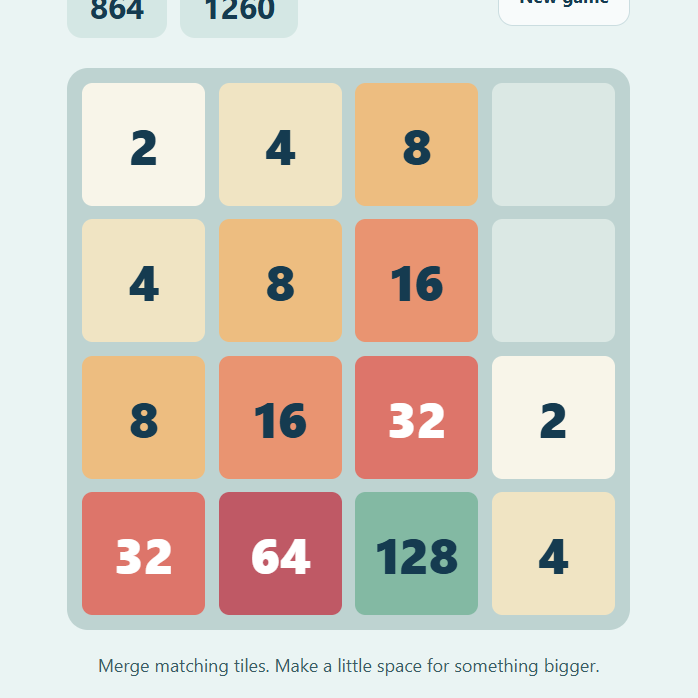
2048 is a sliding number game played on a 4 × 4 board. Move all the tiles in one direction, bring matching numbers together, and build toward a tile worth 2048. A pair of 2s becomes 4, a pair of 4s becomes 8, and each merge makes a little room for the next decision.
This is Pixel Play Break's own browser implementation of the familiar rules, with soft colors, one-move undo and a saved best score. The original 2048 game was created by Gabriele Cirulli in 2014. This site is independent and is not an official version or an affiliated service.
How to play 2048 here
Use the arrow keys on a computer, swipe across the board on a touch screen, or press the four direction buttons below the game. Every tile slides as far as it can in the chosen direction. Matching neighboring tiles merge when the slide brings them together.
A tile can merge only once during a single move. For example, a row containing 2, 2, 2, 2 becomes 4, 4, empty, empty when moved left. It does not become 8 in that same turn. The newly made pair of 4s can merge on a later turn.
After a move that changes the board, a new tile appears in an empty space. It is usually a 2 and occasionally a 4. A direction that cannot move or merge anything leaves the board unchanged and does not create a new tile.
The score increases by the value of each tile created through merging. Making an 8 adds 8 points. Reaching a 2048 tile displays a success message, and you can continue playing after that. The game ends when the board is full and no direction can make a merge.
Undo, new games and your best score
The Undo button restores the board and score from immediately before your last successful move. It is a single step: after undoing, you need to make another move before you can undo again. The random tile from that turn is removed as part of the restoration.
Your best score remains the highest score reached in the same browser identity, including a high score reached before using Undo. Starting a new game asks for confirmation and keeps that best score. A new board begins with two tiles.
Current board progress, score and best score save automatically. The undo snapshot is only kept for the current session, so it is unavailable after a reload. Changing browsers, clearing cookies or using private browsing creates a separate saved identity.
A calmer way to plan your moves
Empty spaces give you choices. Before a slide, look at the whole board, because every tile moves together. A merge in one row can change access to useful numbers in another. Try to keep large values near one another so that smaller tiles can work their way up toward them.
It can help to keep your largest tile near a chosen edge or corner and avoid moving it away without a reason. That is a planning habit, not a guarantee: new tiles introduce randomness, and different boards need different choices. Use Undo to compare a decision, or start a fresh board when you want a clean slate.
Play your way
The game has no timer, account requirement or payment. On mobile, swipe inside the board so the gesture goes to the game. If swiping feels awkward, use the direction buttons instead. Fullscreen is available from the surrounding game page on supported browsers.
For a puzzle with a fixed solution, try Water Sort Puzzle. For a break without a score at all, visit Pixel Aquarium and let the fish do the moving.
Leave a little note
Found a favorite fish, a useful move, or a bug? Notes are reviewed before they appear. Please leave out personal information and links.