A little snake in a little garden
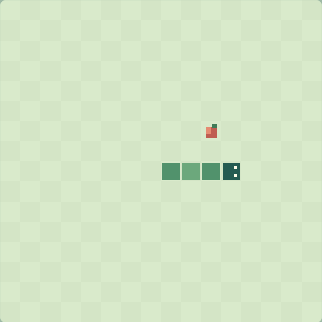
Snake is a short arcade game about leaving yourself enough space. Guide a green pixel snake around a 16 × 16 garden, collect the coral apples, and keep its head clear of the walls and its own body. Each apple adds one segment and one point. A longer snake gives you more to plan around, even though the controls stay simple.
This version is made for Pixel Play Break with its own garden, colors and controls. There are no purchases, downloads or accounts. Choose a calm pace for more thinking room, or a quick pace when you want a livelier run. The board starts paused, so nothing moves before you are ready.
How to play
- Press Start. The snake begins moving to the right.
- Steer with the arrow keys or W A S D. On a phone, swipe across the board or use the four direction buttons.
- Reach the apple to grow. A new apple appears on an empty square.
- Keep away from the outer edge and avoid running into your body. Either collision ends the run.
- Press Pause whenever you need. When the board has keyboard focus, Space also pauses and resumes.
The snake cannot turn directly backward into its neck. Only one new direction is accepted between steps, which prevents a very quick pair of inputs from accidentally reversing it. After turning, wait for the next step before giving the next direction.
Make room for your next turn
Think about the space beyond an apple before taking it. An apple beside your own body can be reached safely if you first make a wider loop. Staying near an open area often gives you more choices than chasing every apple by the shortest route.
There is no separate countdown. You can change the pace at any time; the game pauses after a change so you can prepare. Filling every square completes the garden. Most runs end much earlier, and Play again gives you a fresh start while keeping your best apple count.
Returning to a run
The snake, apple, score, best score and pace save through the site's anonymous browser identity. Returning to a saved run always starts paused. Progress is saved periodically while moving and after apples, pauses and a finished run. For the clearest stopping point, pause and wait for the saved message before closing the page.
Keep the same browser and cookies to restore your game. A different device, cleared site data or an unavailable save service can prevent restoration; the game shows save status above the board. There is no account synchronization. New game asks before replacing the current run and preserves your best score.
For a slower grid challenge, try Lights Out Puzzle. Or take the turns out of your break and visit the Pixel Aquarium.
Leave a little note
Found a favorite fish, a useful move, or a bug? Notes are reviewed before they appear. Please leave out personal information and links.